 Showglass
Quick Look · Finder
Press Space. See everything.
Rich Quick Look previews for 83 kinds of files, and Finder thumbnails that show what’s inside. One design, in light and dark, right in Finder.
Coming soon to the Mac App Store
Free download. Showglass Pro is an in-app purchase.
- Kinds of files
- 83
- Free
- 30
- With Pro
- 53
- Finder thumbnails
- 15
- Or later
- macOS 26
01 · Previews
83 kinds of files. One design.
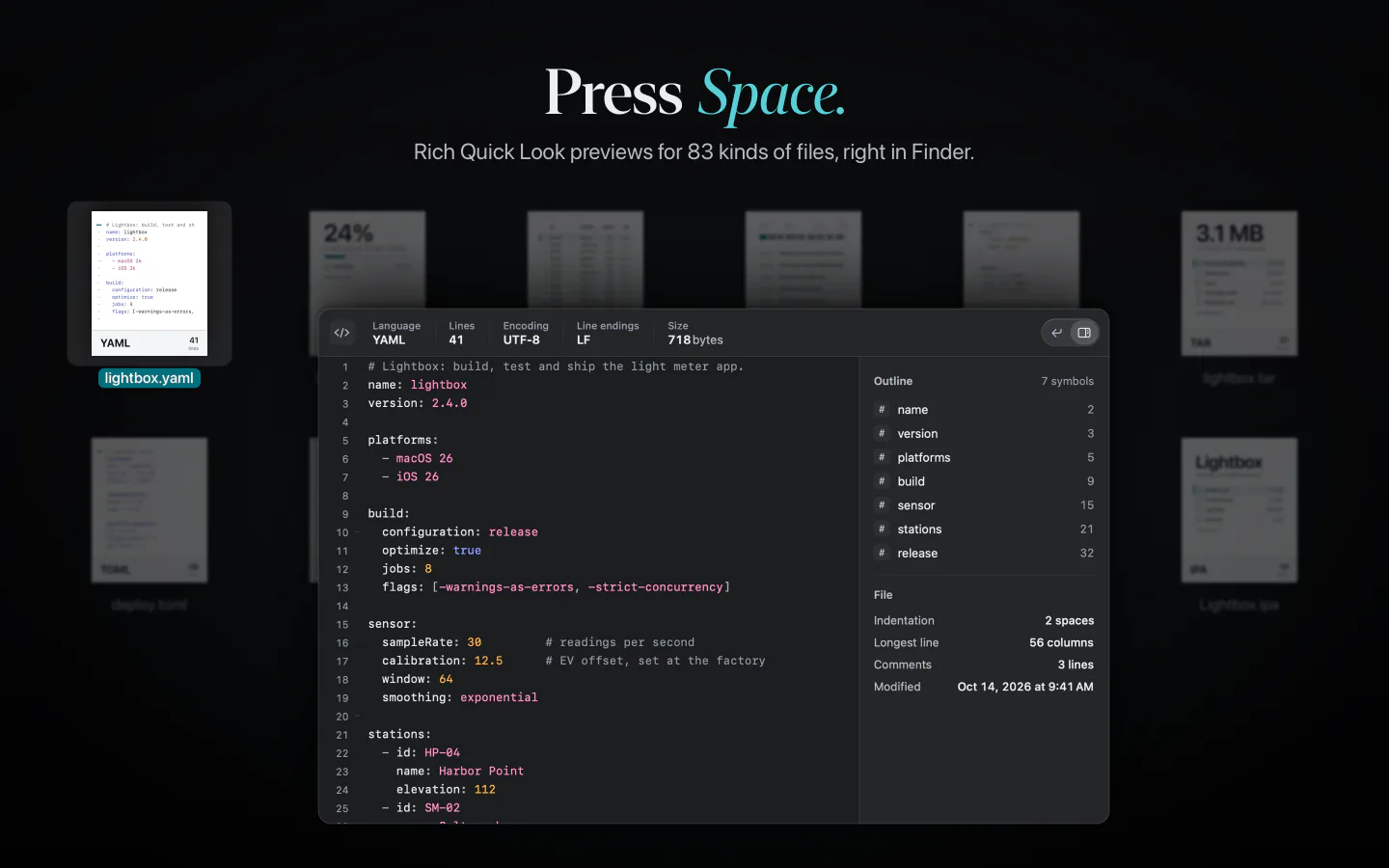
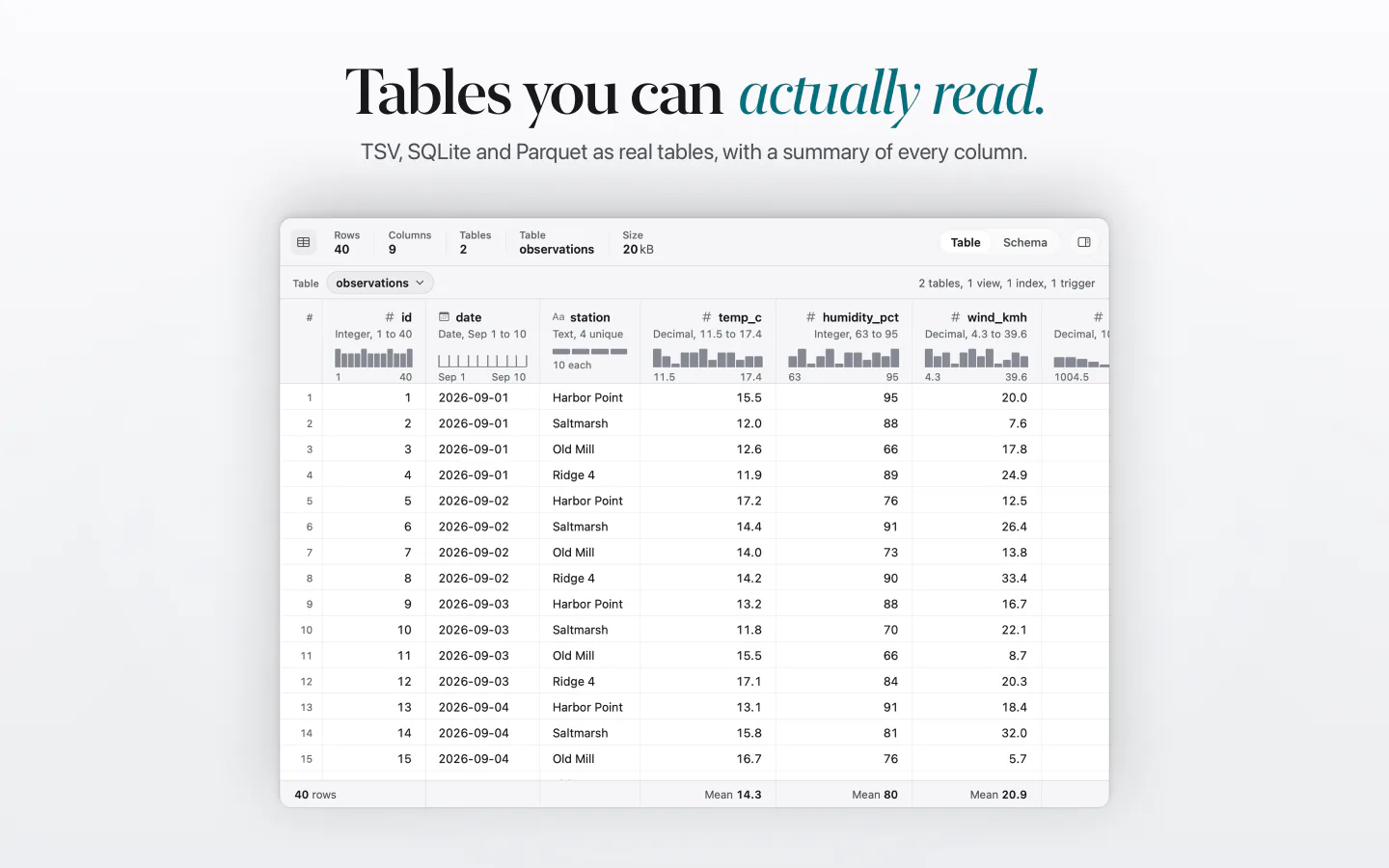
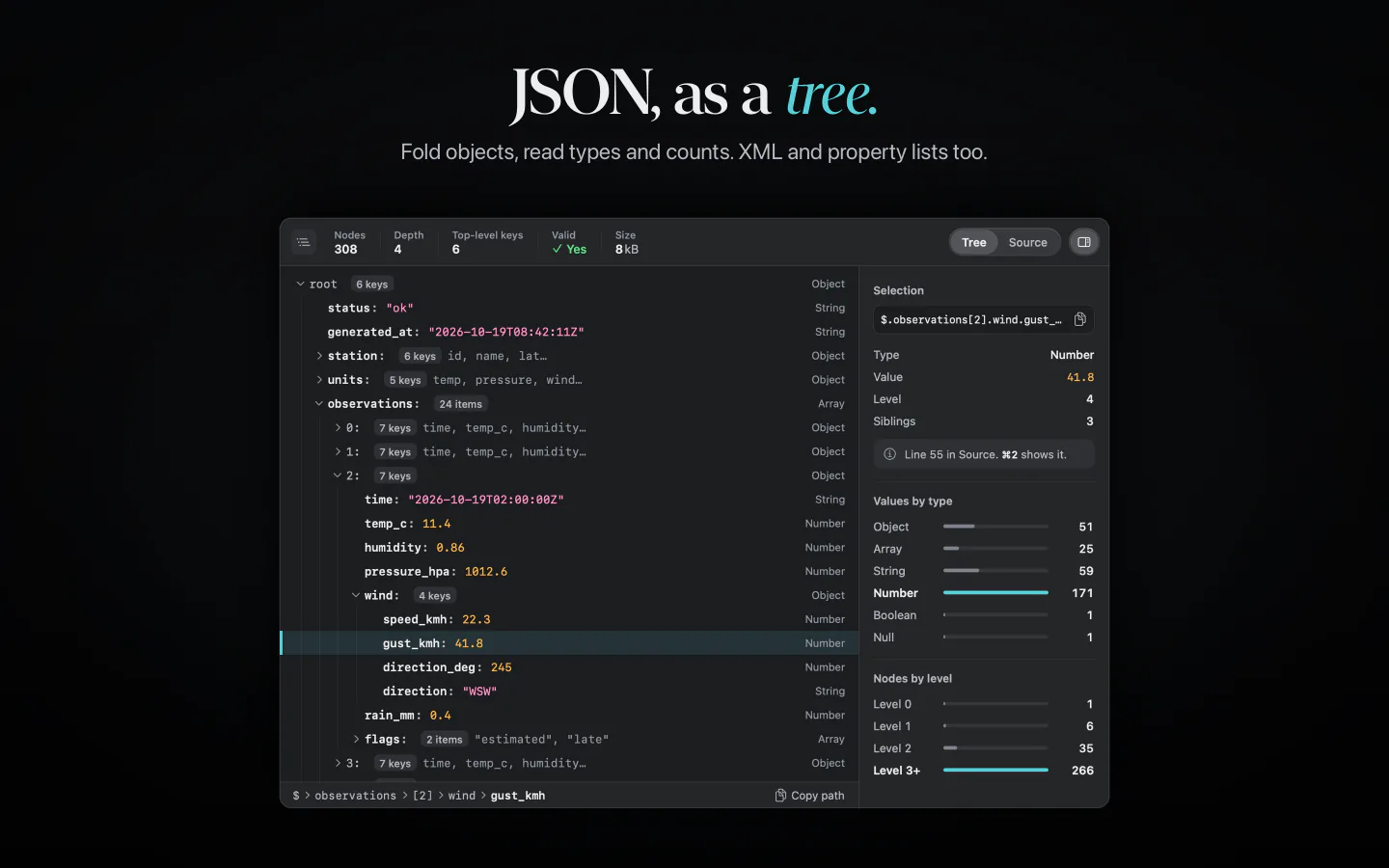
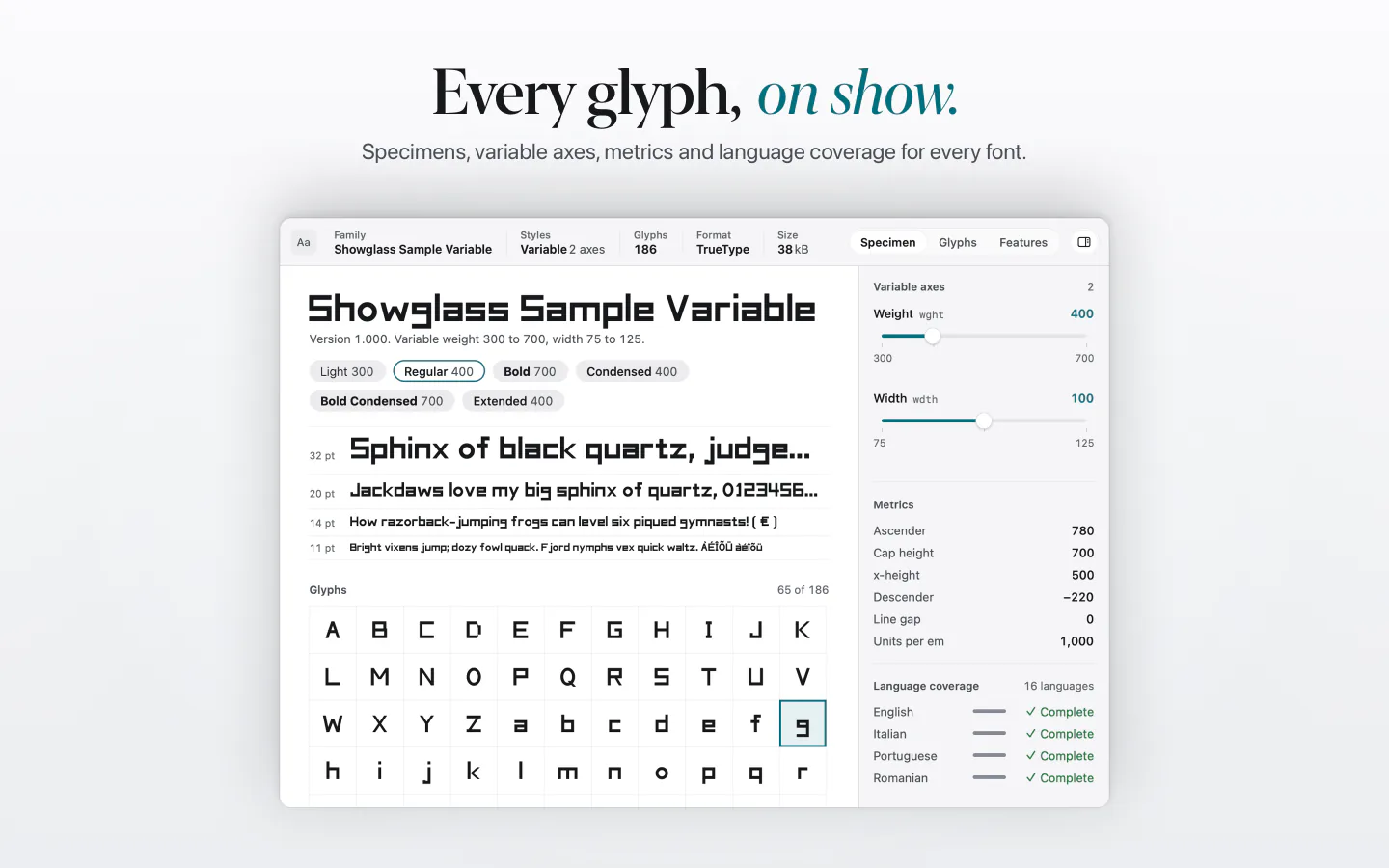
Select a file in Finder and press Space. Code gets an outline, data gets columns, archives open up without unpacking, fonts show every glyph. Every picture here is real output of the Showglass renderer, drawn from sample files our own scripts generate.
Choose a file. The arrow keys move through the list, as they do in Finder.


02 · Thumbnails
Icons that show what’s inside.
Showglass draws the Finder icon for 15 kinds of files: archives, config files, subtitles and data. See how full a ZIP is or how a YAML file begins before you open anything. Everywhere else, macOS draws the icon and Showglass draws the preview.

03 · The app
Can Showglass open it?
The Showglass app shows every family with a sample you can preview and export. Type an extension to see what Showglass does with it, or drop any file on the window.

Every family, with a sample
Thirteen families, each with a sample drawn by the same renderer the extensions use. Preview it in Quick Look, or export it and try it in Finder.
Search by extension
Type .gpx, .parquet or .woff2 to see whether Showglass previews it, in which family, and whether it’s free.
Settings that stay out of the way
Text size, line numbers and wrapping, and a Rich view switch for each family. Pro adds five colour themes.


04 · Up close
One family at a time.
Tables, trees, fonts, 3D, archives, books, folders and apps, as they look in Quick Look.
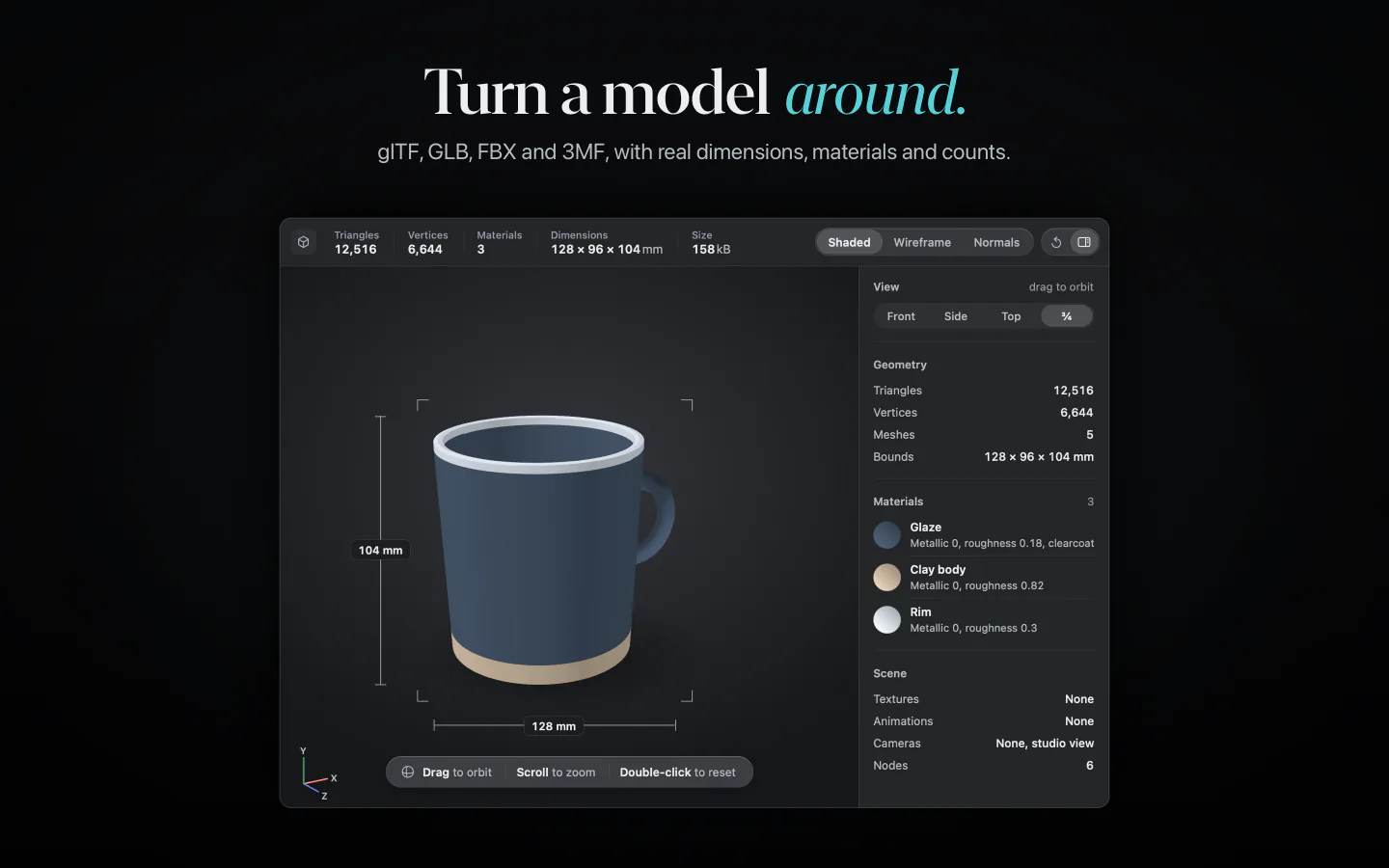
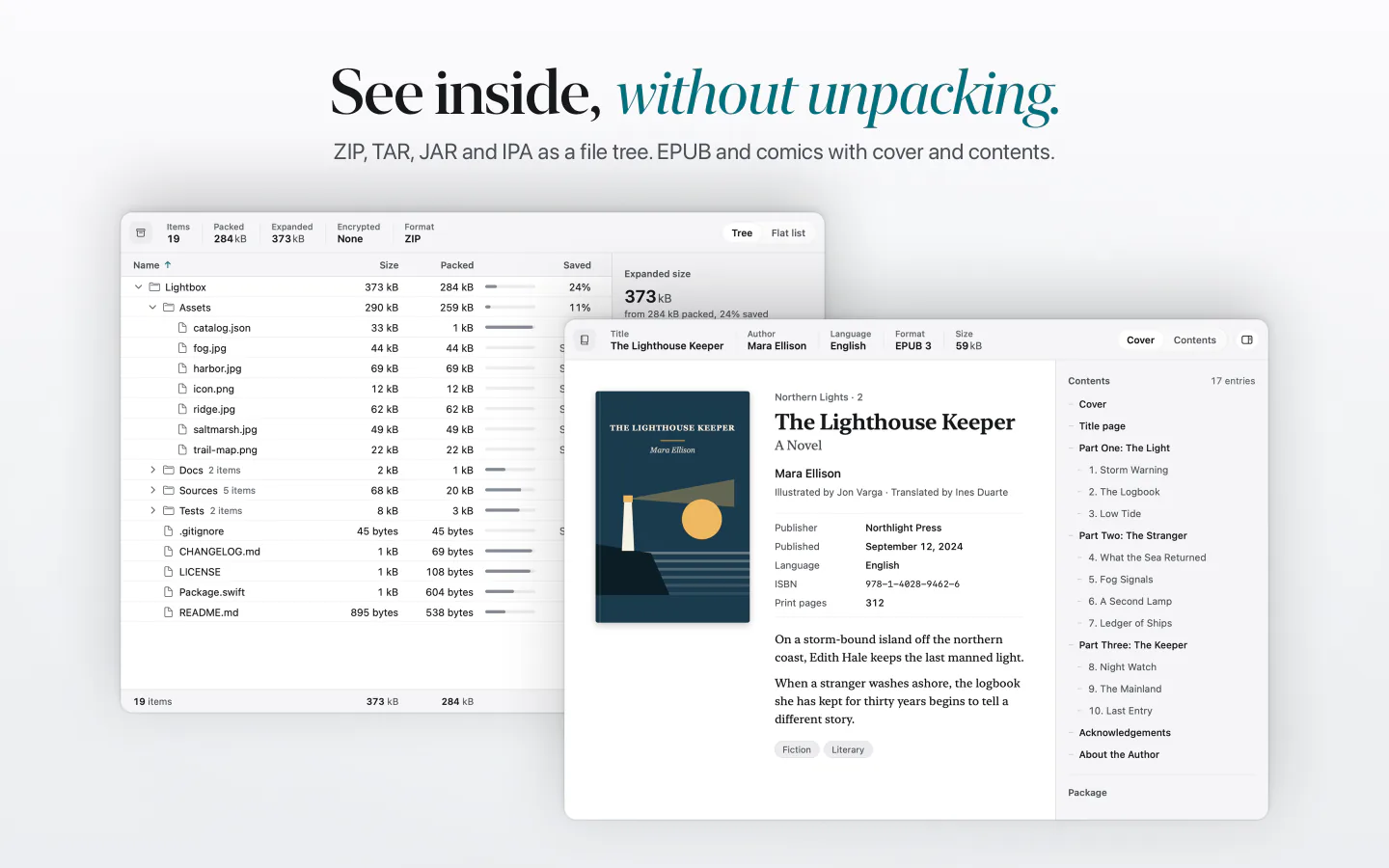
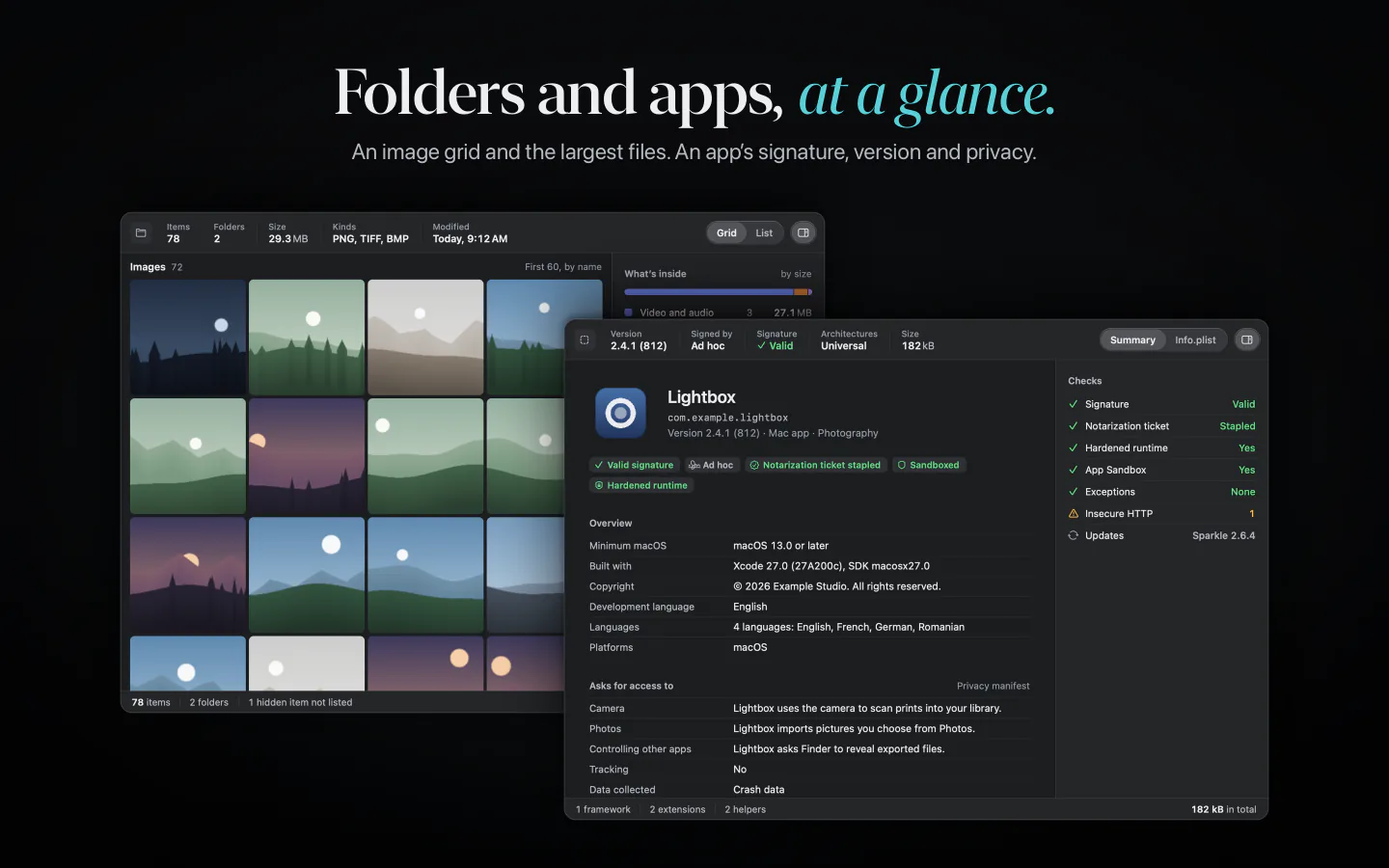
- Your files stay on your Mac
- Previews and thumbnails are drawn on your Mac. Your files and what’s in them are never sent anywhere.
- The Quick Look extensions have no network access
- The preview and thumbnail extensions ship without the network entitlement, so macOS won’t let them connect to anything. Nothing in a file runs: no JavaScript, no notebook kernels, no remote images. Archives are listed, never extracted.
- Anonymous counts, and you decide
- The app sends anonymous usage counts and crash reports. Crash reports are sent only with your permission. You can turn them off in Settings.
- This website
- No cookies and no analytics. Everything on it comes from this server.
What Showglass can’t preview.
We publish the list, so you know before you install.
macOS keeps its own previews for plain text, RTF, HTML, SVG, images, PDF, CSV, Office, OpenDocument, iWork, contacts, calendars, STL, OBJ and PLY. Bare dotfiles like .env get no preview. Showglass draws Finder thumbnails for ZIP, TAR, gzip, bzip2, xz, 7-Zip, JAR, IPA, YAML, TOML, INI, CSS, WebVTT, NDJSON and .strings. Measured on macOS 27.0.1.
83 kinds of files in 13 families.
We count kinds of files, not extensions. The app lists every one, with what previews it and what’s free.
| Family | Types | Tier |
|---|---|---|
| Code & config | 23 | Free |
| Markdown & docs | 6 | Free |
| Data | 8 | Pro |
| Notebooks | 1 | Pro |
| Archives | 10 | Pro |
| Fonts | 5 | Pro |
| 3D | 4 | Pro |
| Developer artifacts | 11 | Pro |
| Images & design files | 4 | Pro |
| Media metadata | 5 | Pro |
| Books & comics | 2 | Pro |
| Geo | 3 | Pro |
| Folders | 1 | Pro |
Showglass Pro
Every file, in full.
Code, config and Markdown are free: 30 kinds of files, and every feature of the app. Showglass Pro turns on the rich view for 53 more and adds five colour themes. You pay once.
Free download. Showglass Pro is an in-app purchase.
Compare Free and Pro
Showglass
Coming soon to the Mac App Store
Free download. Showglass Pro is an in-app purchase. Requires macOS 26 or later.